
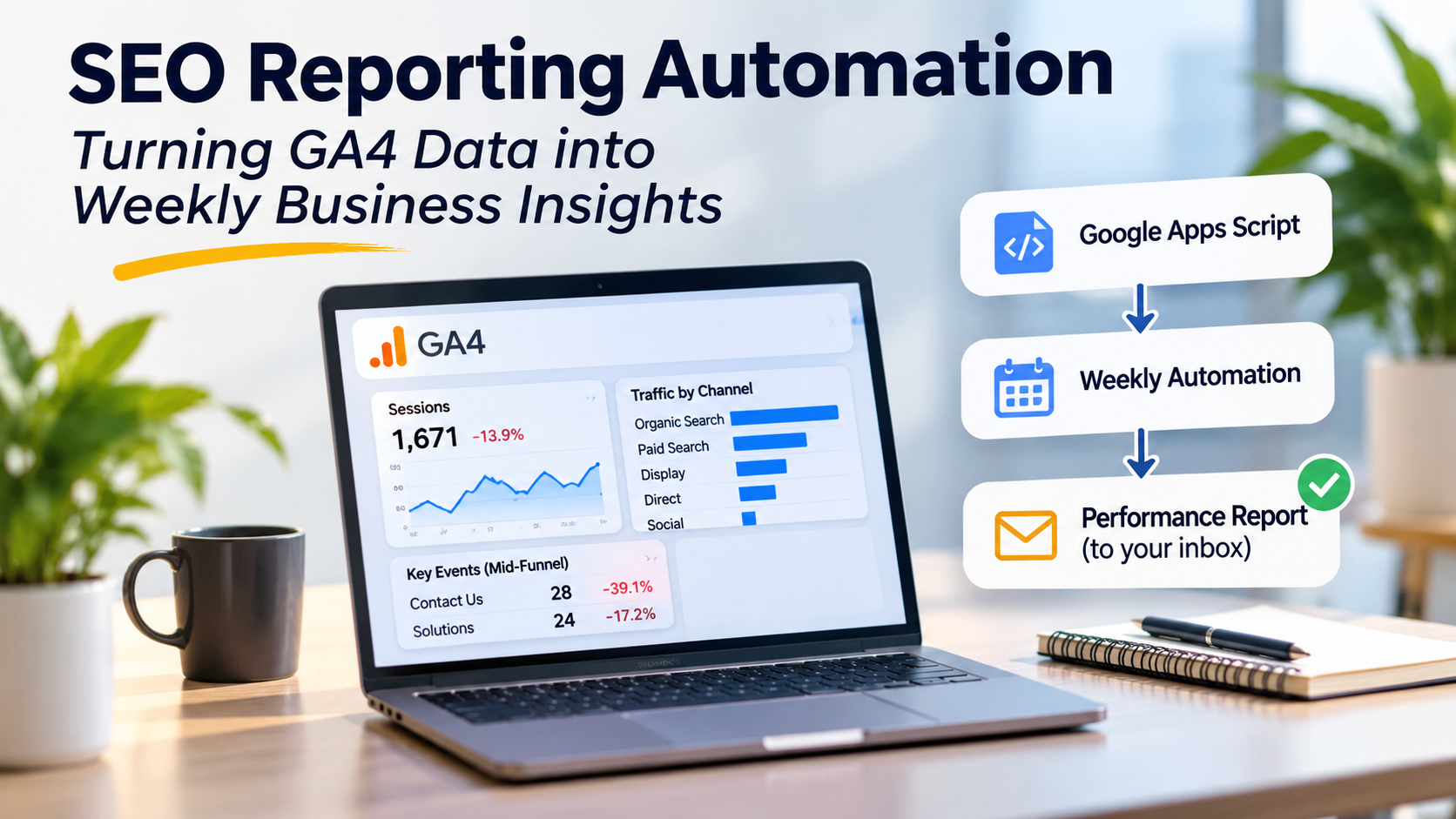
SEO Reporting Automation: Turning GA4 Data into Weekly Business Insights
Your marketing data is already there. Why are you still compiling reports manually?
Most businesses already have access to valuable marketing data through Google Analytics 4 (GA4). Yet weekly reporting can still mean opening several dashboards, comparing dates, checking traffic sources and copying numbers into an email or presentation. The data is available, but turning it into useful information remains repetitive.
I wanted to test whether a straightforward SEO reporting automation workflow could reduce that manual work. Using GA4 and Google Apps Script, I built a process to retrieve performance data, compare two reporting periods, flag significant changes and email a readable summary. It covers organic search alongside other marketing channels, because SEO performance makes more sense in the context of the wider customer journey.
Here is what I built, what the initial report showed and what businesses should consider before automating their own reporting.
Why SEO Reporting Needs More Than Rankings
Rankings, clicks and organic sessions are useful starting points. But they do not tell a business whether visitors are engaging, exploring important pages or taking steps towards an enquiry. An SEO analytics dashboard becomes more useful when it connects acquisition with engagement and selected lead signals.
This does not mean every channel belongs to SEO. Paid search, display and direct traffic are distinct sources. Comparing them helps reveal whether changes are specific to organic search or part of a broader shift in site performance.
The aim is not to replace SEO analysis with a single score. It is to make recurring checks more consistent so marketers can focus on interpretation rather than copying figures.
Start With the GA4 Metrics That Matter
For this project, I used Google Analytics for SEO analysis and broader channel monitoring. The weekly view included active users, sessions, engaged sessions, engagement rate and average session duration. It also compared traffic by channel and tracked activity on selected high-intent pages.
Contact Us, Solutions and Facilities pages offered useful mid-funnel signals. Form starts and submissions provided another layer of context. However, event counts are not necessarily unique leads, and a page visit is not proof of commercial intent. These measures help identify areas to investigate, not declare revenue generated.
This is where an SEO analytics dashboard and an automated email serve different purposes. The dashboard supports exploration; the email highlights changes that deserve a closer look.
SEO Reporting Automation With Google Apps Script
I built the workflow using Google Apps Script and the GA4 Data API. The script requests selected metrics, organises results by reporting period and channel, then calculates changes between the latest seven complete days and the preceding seven days.
The initial test was practical: run the function, inspect the execution log and confirm that GA4 returned data in the expected structure. That matters because a script can execute without producing a trustworthy report. Field selection, date boundaries and metric definitions all affect the result.
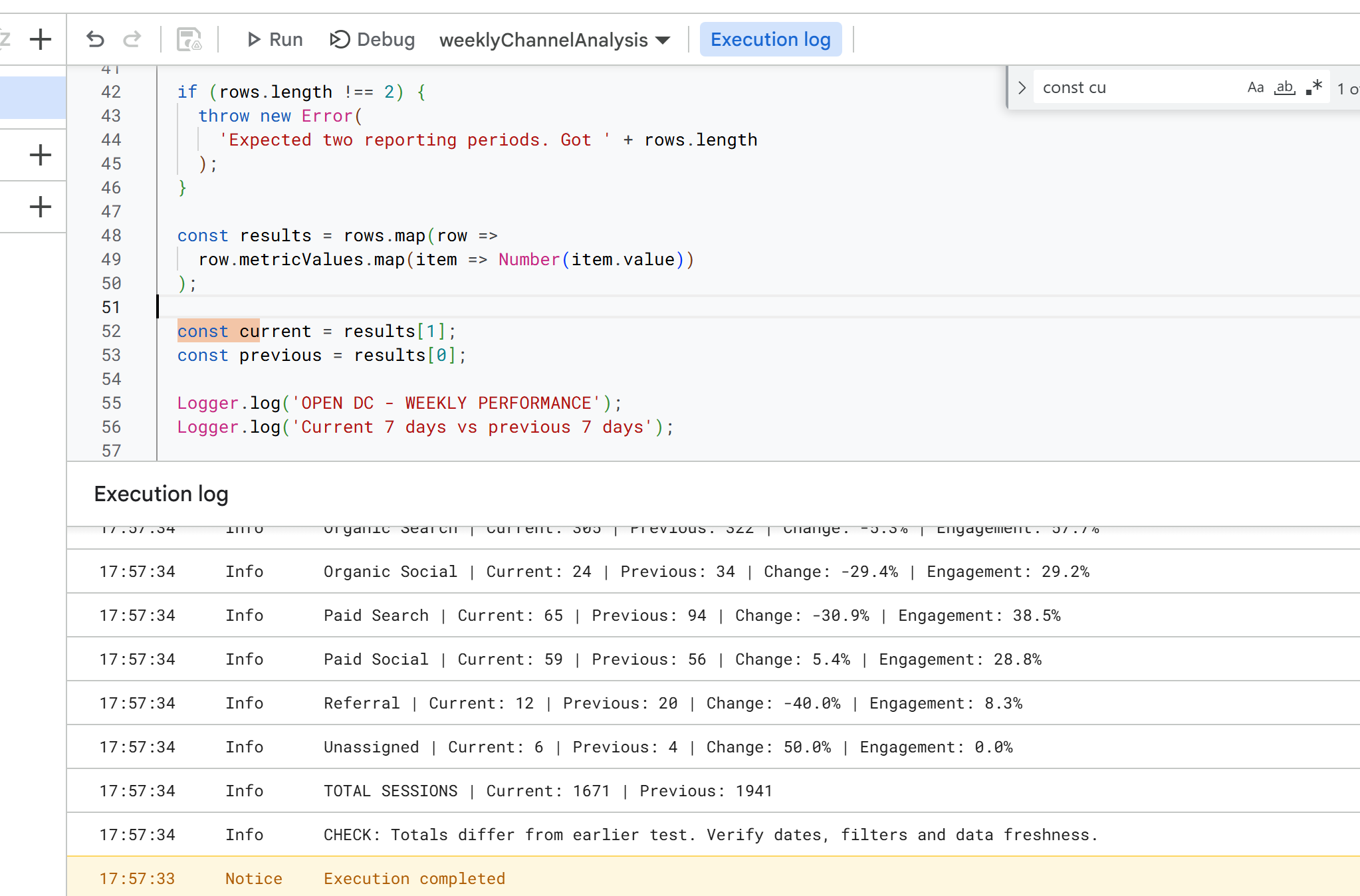
For businesses, the attraction is accessibility. Google Apps Script is available within Google’s ecosystem, and this approach does not require a separate paid reporting platform. It does require someone to configure access, maintain the script and understand the metrics being requested.
Testing the Output Before Trusting It
Once the connection worked, I checked channel-level results and total sessions. The log showed organic search, paid search, social and referral figures, along with engagement rates. A subsequent check exposed a small mismatch in the previous-period session total: 1,941 in the execution log versus 1,940 in the emailed report.
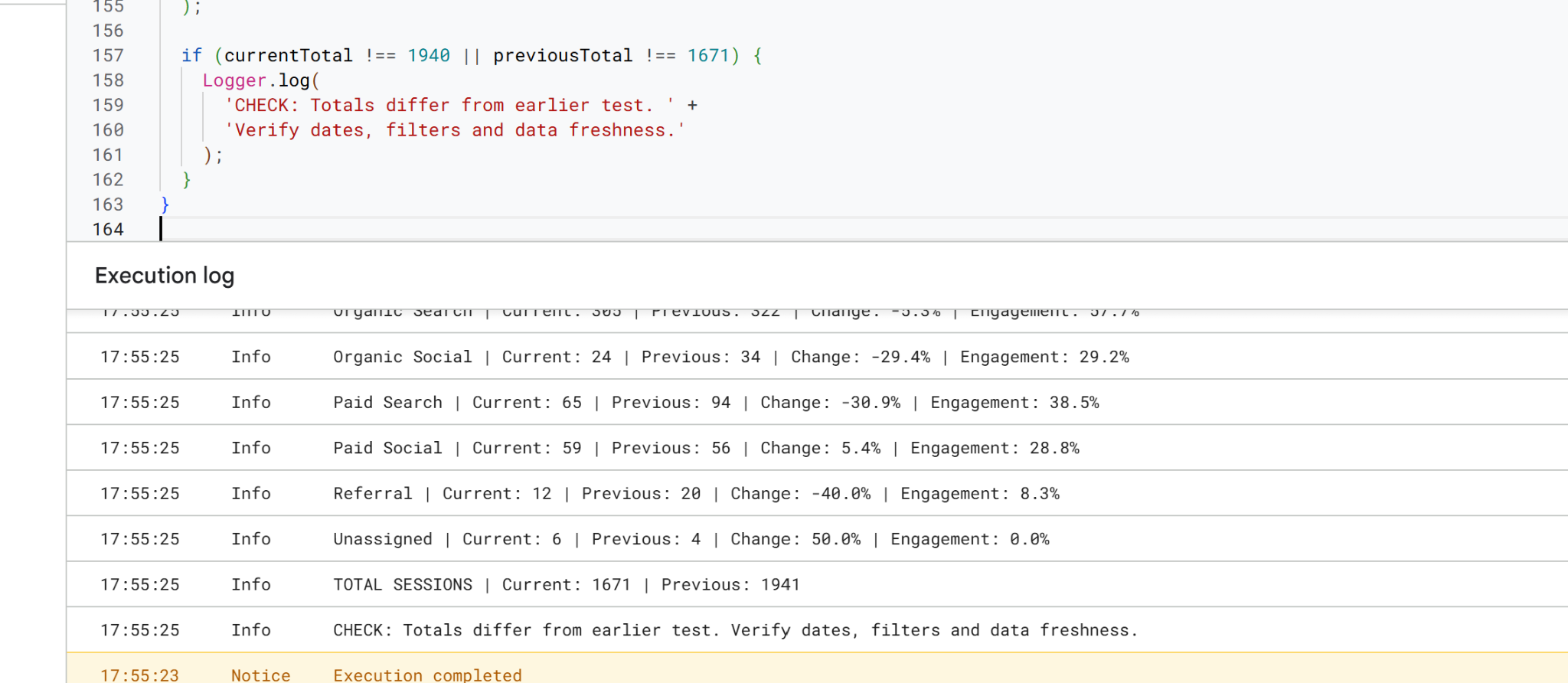
That one-session difference is not a business crisis, but it is a reminder that automation is not the same as validation. Date ranges, filters, processing delays and code logic need checking before a report is treated as a reliable decision-making source. I would investigate and reconcile the discrepancy rather than silently ignore it.
Scheduling a Weekly Report
After testing the reporting function, I configured a time-based Apps Script trigger for the weekly workflow. The trigger removes the need to open the editor and press Run each week.
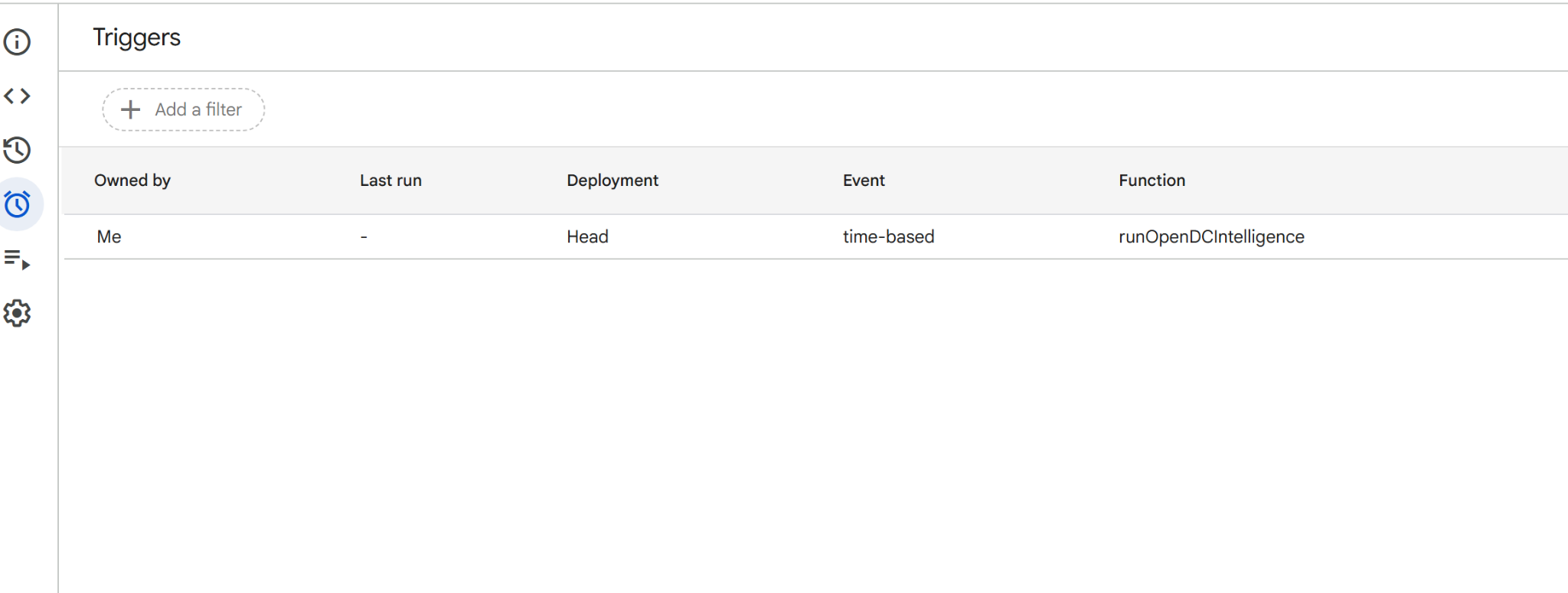
The trigger screenshot confirms the schedule is configured; it does not yet show a completed scheduled run. The report had been successfully generated during testing. In an operational setup, I would also monitor failed executions and periodically check that delivered numbers still match GA4.
What the First Automated Report Revealed
The emailed report made the output immediately readable. Across the two seven-day periods, overall sessions declined from 1,940 to 1,671, a 13.9% fall. Engaged sessions dropped 18.7%, while engagement rate eased from 32.9% to 31.1%.
Organic Search sessions moved from 322 to 305, down 5.3%, but its engaged-session rate was 57.7%. Paid Search sessions fell 30.9%, while Display accounted for 825 sessions with a 25.6% engaged-session rate. Those differences are worth examining, but they do not establish why performance changed.
Mid-funnel activity also weakened: Contact Us events declined from 46 to 28, while Solutions events fell from 29 to 24. These are event counts, not confirmed unique enquiries.
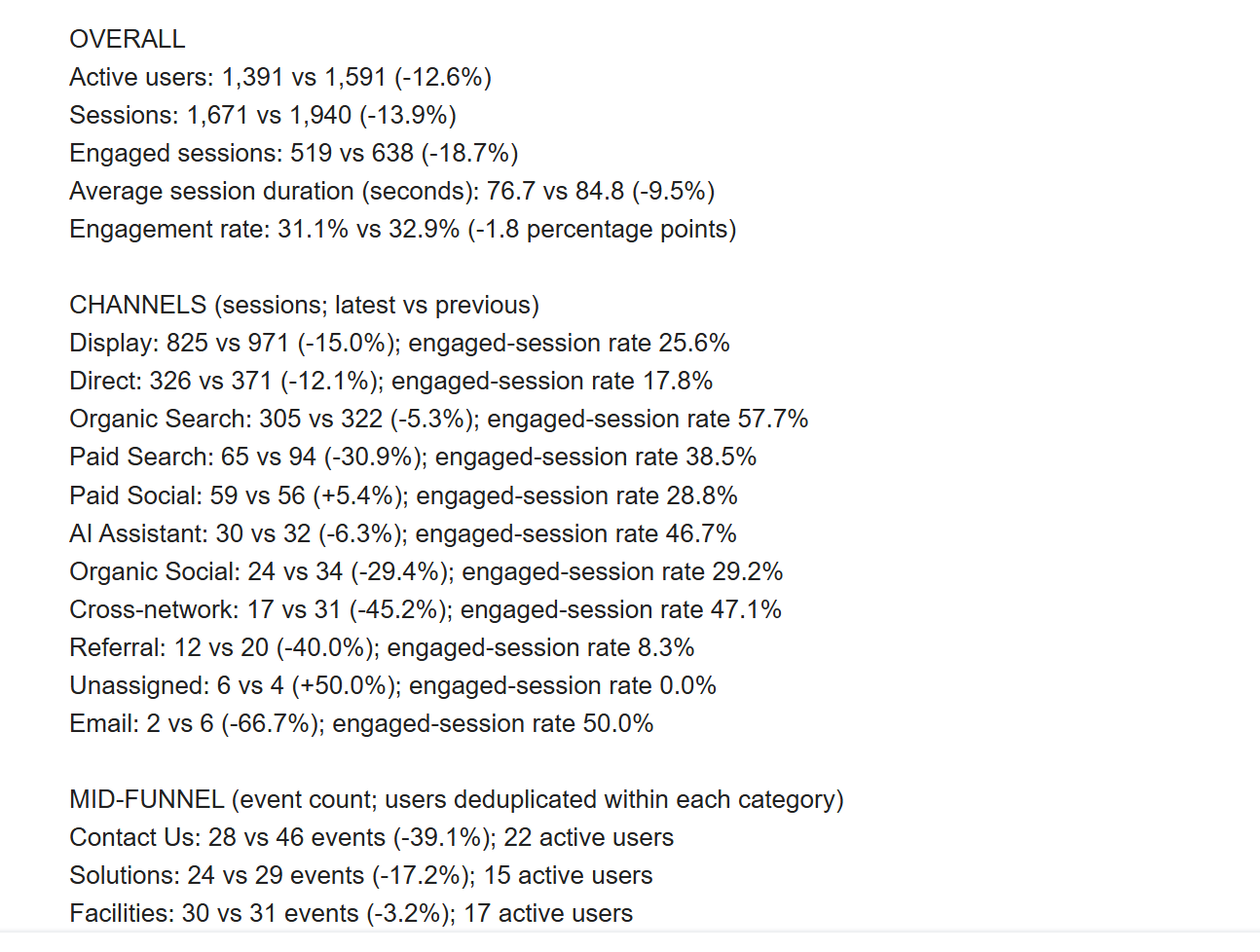
For SEO performance reporting, the useful outcome is not simply knowing that organic traffic dipped. It is being able to ask whether engagement quality held up, whether high-intent activity changed and which trends need further investigation.
Automate the Routine, Not the Judgment
Businesses do not necessarily need more dashboards. They need a dependable way to spot changes without rebuilding the same report every week. SEO reporting automation can handle retrieval, comparison and delivery, leaving marketers more time to investigate causes and recommend actions.
My takeaway is simple: automate the repetitive work, validate the numbers and keep human judgment in charge of decisions. The technology delivers the signal; the business still has to decide what it means.
